

A double-entry ledger with agents on watch
A finance platform for keeping a company's books properly: a double-entry ledger, a month-close checklist, bills and invoices, bank feeds, schedules and a document vault, with plain-English agent rules that watch the books and file tasks when something is off.
Finance is by invitation. Ask for one.

What it does
Finance, in the trade’s own words
A ledger that cannot be quietly restated
Every report is built straight from the entries, so the numbers always agree. A reversal is the only undo, and a closed month stays locked.
The month-close checklist
Setup, comments, bills and invoices, then close: book, reconcile, schedules, report. Each stage carries its own badge, and people file tasks beside the agents'.
Agents in plain English
Twenty-four named agents, each with rules you can edit in plain English. They watch the books, file a task when something needs attention, clear it once it is fixed, and never move money.
Bills and invoices
AP and AR pipelines with approvals, part payments and reversals.
Bank feeds that learn
Bank statement imports with duplicates caught automatically, categories suggested from earlier bookings and rules, and every correction teaching the next import.
Schedules
Prepaid expenses, depreciation and reversing accruals, set up once as a schedule and booked month by month.
The Vault
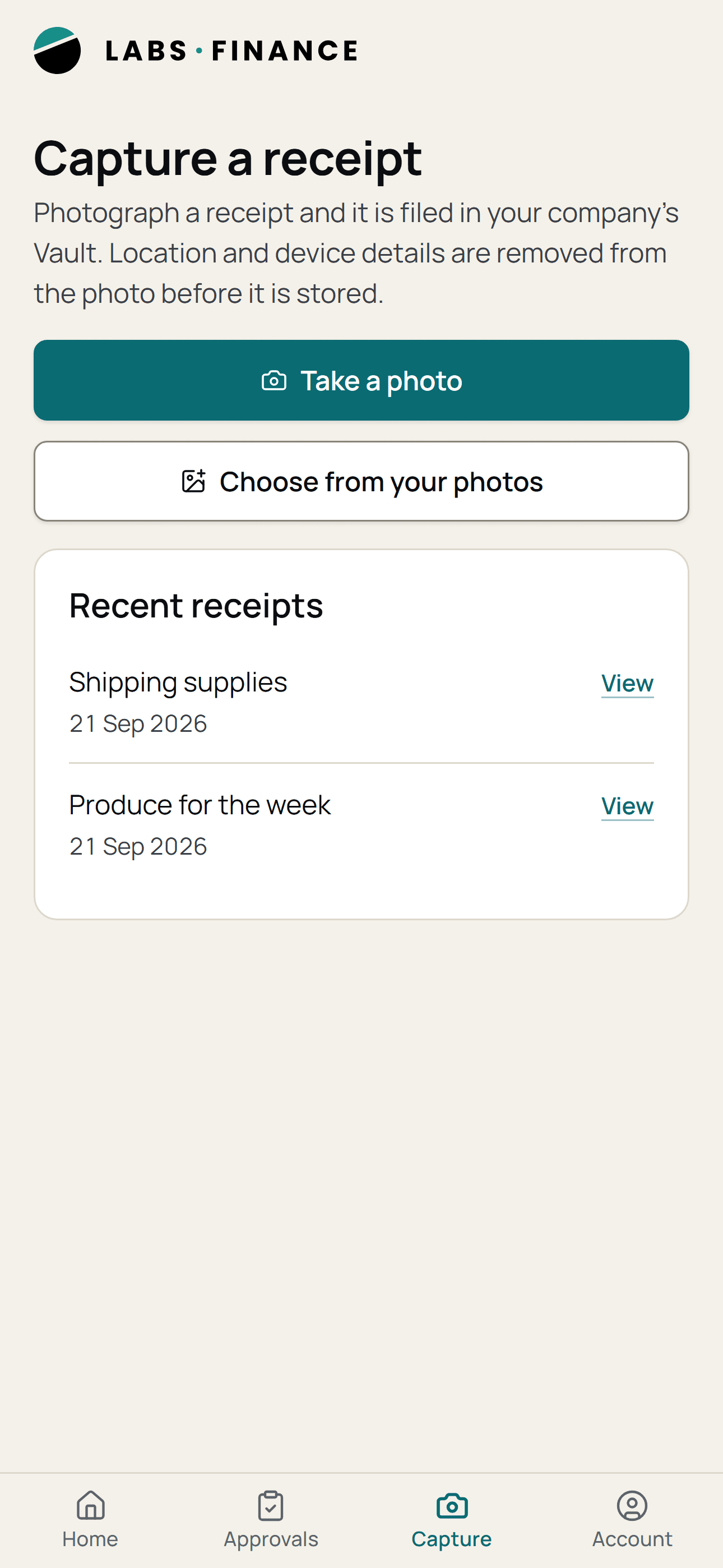
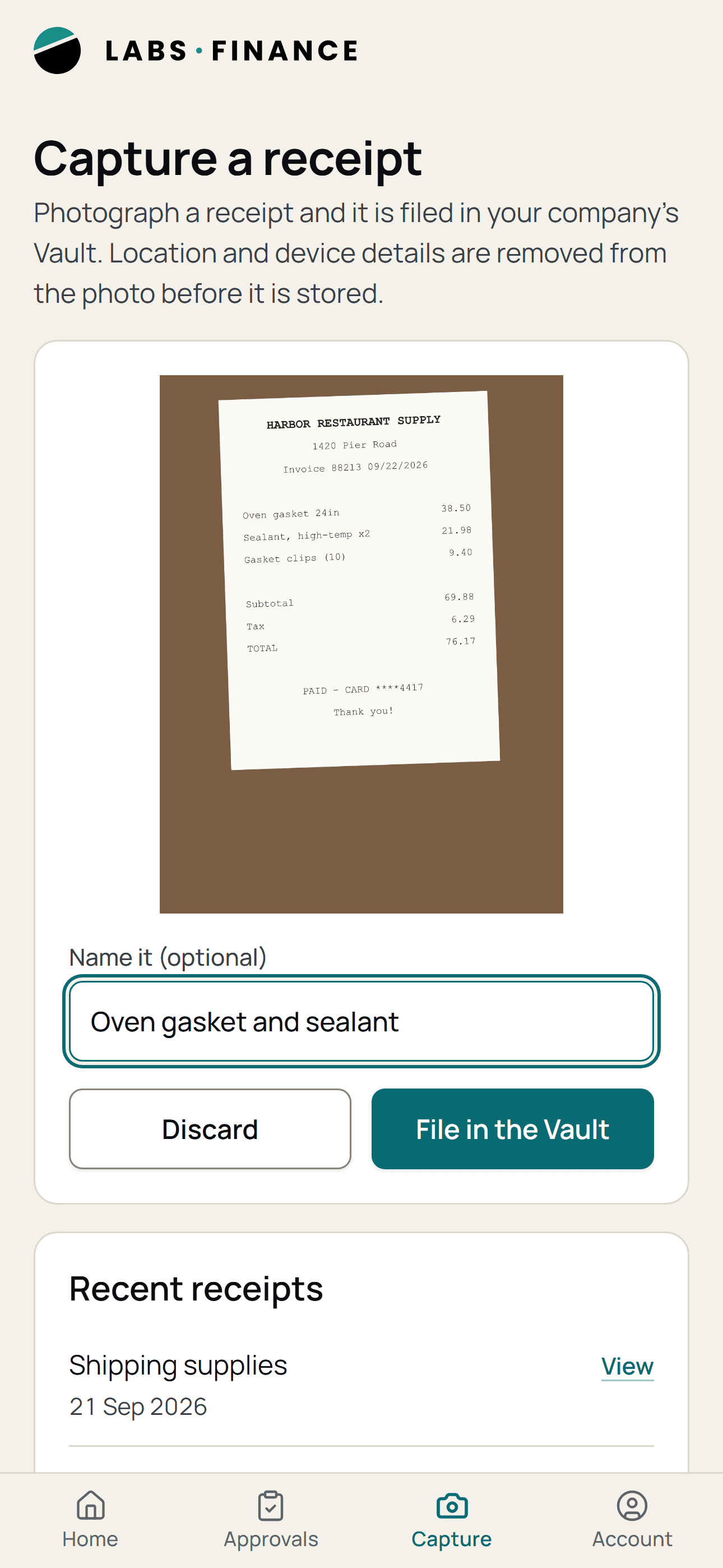
Documents linked to the entries they prove, and receipts photographed from the phone with the location and device details stripped before they are stored.
Quill, the resident AI
Ask Quill from anywhere in the web app. It proposes changes through approval cards and never posts directly.
Seen on a phone
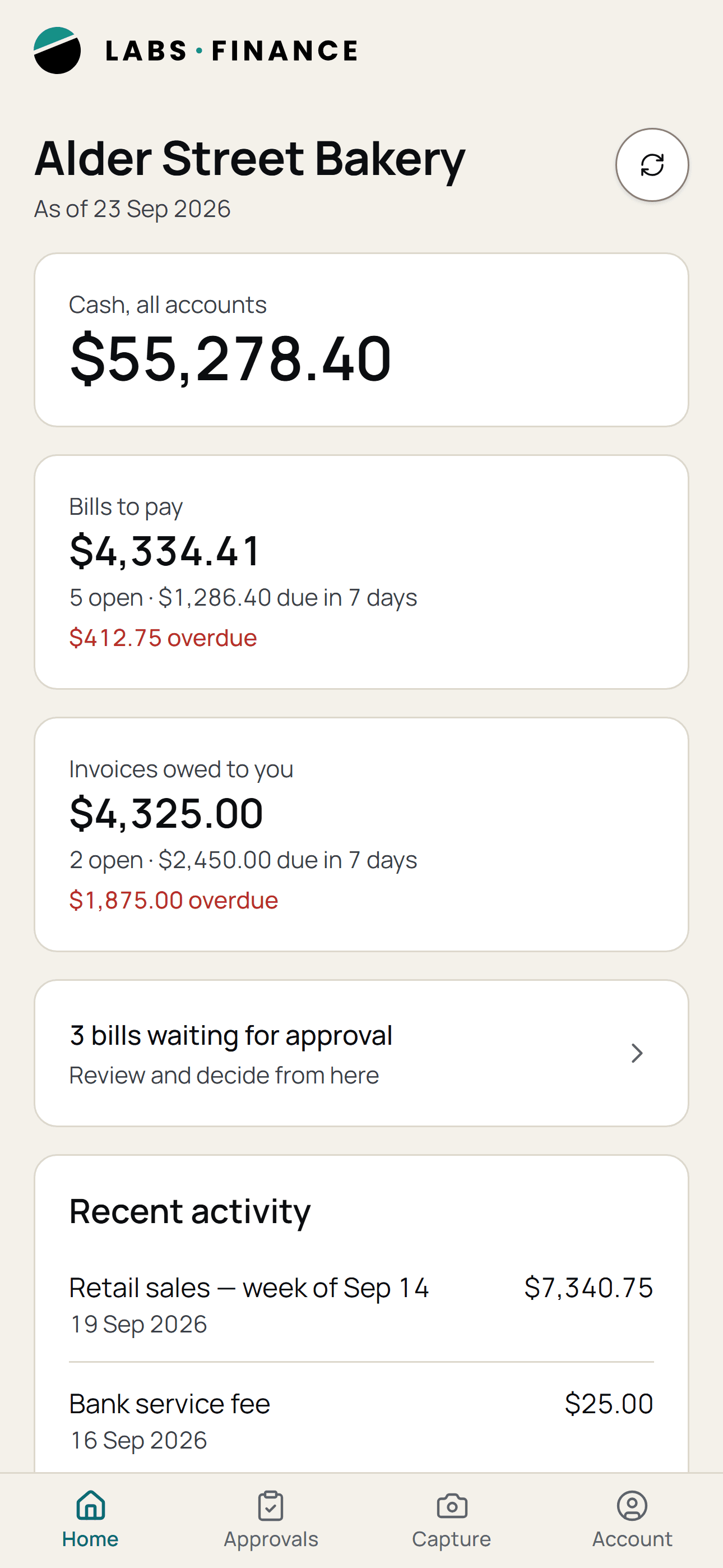
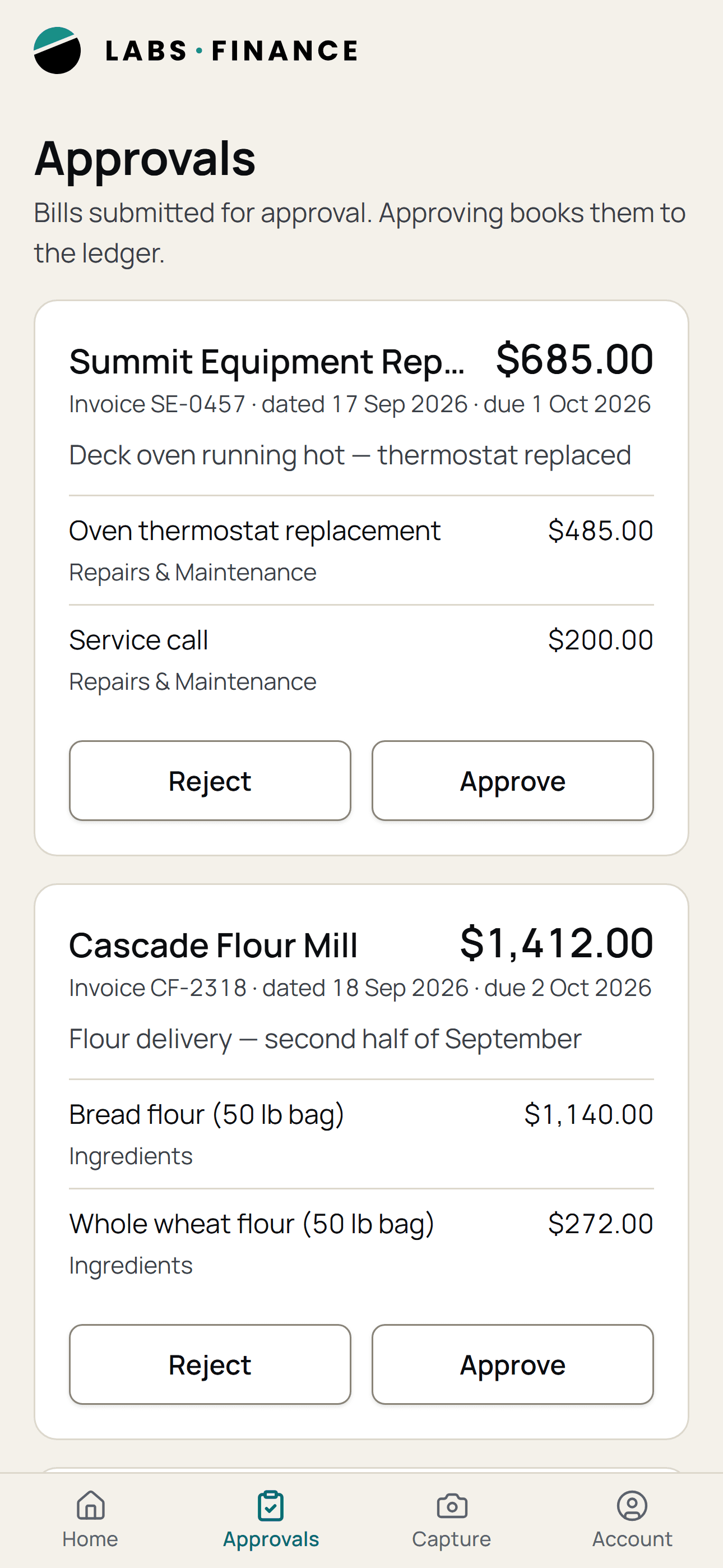
Four screens, as they look today
Cash and what is owed at a glance, bills approved or rejected in two taps, and receipts filed into the Vault from the camera. Shown with a demo company: every name and figure in it is invented.
Who it’s for
Three roles, one set of books
Admin
Settings, roles, approvals and the agents' rules.
Company adminMember
The books, the bills, the imports and the close.
Team memberRead-only
Sees everything, changes nothing, and can still ask Quill.
Team member
How it works
Built to keep more than one company's books, and to keep them strictly apart, so one company's records can never touch another's. The ledger is the source of truth, the checklist is the month, and the agents read the same books people do.
Good to know
- The agents file tasks rather than moving money, and Quill proposes rather than posts.
- The phone companion is for approvals and receipts; Quill and the agents work on the web.
- Available by invitation, and we set up each company and its people personally.

Made by Quobo Labs, a product studio in Louisiana. Six focused apps, each proven in a real business first.
Finance on quobolabs.co